BUSINESS GUIDE
Desktop as a Service for Small Business: A Practical Team Guide
Evaluate DaaS for a small team: Windows applications, Jump-Teams access, monthly desktop budgets, practical checks and when another setup fits better.
Read the guide →

DEVICE CHOICES · GLOBAL WINDOWS TEAMS
Use the new Surface for the demanding work that belongs on your laptop. Give colleagues separate Windows project desktops through Jump-Teams, with clear roles, tested applications and a cost plan that fits their actual working hours.
Reviewed 31 October 2026 · Jump-IT Team · Sourced launch coverage and original workflow guidance
Microsoft opened Surface Laptop Ultra pre-orders on 7 October 2026, with availability beginning 16 October and a starting US MSRP of US$2,599. This is a premium local workstation proposition, not a price for a team of cloud desktops. Read the launch announcement.
The platform combines NVIDIA RTX Spark, a 15-inch PixelSense Ultra touchscreen and configurable unified memory up to 128GB. It is a Windows on Arm device. Its CUDA capability is relevant to compatible local AI tools, but does not guarantee every dependency, driver or x86 application will work unchanged. The 24GB configuration ships with Windows 11 Home; Microsoft lists Pro for higher-memory configurations. Check the current configuration details.
Buy the configuration your workload needs. A maximum-memory model, an entry model and the systems used by different reviewers are not interchangeable. Memory needed by a local model is also memory your editor and other applications cannot simultaneously use without pressure.
| Review and tested context | What the reviewer found | What it means for a team lead |
|---|---|---|
| WIRED · Luke Larsen · 16 Oct | Praised construction and unplugged performance; criticised battery endurance and gaps in game support. | Good performance is not proof of a full unplugged workday. Its MacBook comparison predates the new PROLED model. |
| PCWorld · Mark Hachman · 32GB review unit | Highlighted strong graphics/AI capability, with price and uneven performance among the trade-offs. | Do not quote a 128GB model-capacity claim as a result from the 32GB tested machine. Trial your actual toolchain. |
| Windows Central · Zac Bowden · 128GB/1TB · 16 Oct | Liked the keyboard and trackpad; reported display and battery reservations after eight days of use. | A high-spec review unit is not the US$2,599 base model. Assess screen behaviour and battery with your own work. |
Review benchmarks use different machines and workloads. This guide does not merge them into a single ranking or claim an independently reproduced speed advantage. The strongest reason to consider Ultra is a local workload that benefits from its supported hardware—not the word “AI” on its own.
Firmware context matters. Microsoft’s 22 October update history lists fixes for extended reboot times, screen flickering and unexpected restarts. That is a documented update, not proof that every review concern or every unit is fixed. Check the installed version and test again; firmware rollout is staged.
| Decision | Surface Laptop Ultra | MacBook Pro with PROLED XDR |
|---|---|---|
| Local software ecosystem | Windows on Arm and NVIDIA CUDA-compatible tools. Validate Arm64 dependencies and drivers. | macOS and Apple-silicon-compatible tools, including suitable Metal/MLX workflows. |
| Screen and portability | 15-inch Mini-LED touchscreen; full review evidence is available. | 14/16-inch tandem OLED touch; announced 28 Oct, availability starts 6 Nov. |
| Budget context | US$2,599 starting launch MSRP; higher-memory versions cost substantially more. | US$2,899 starting 14-inch M5 Pro price; match memory and storage before comparing. |
| Cloud team management | Use the Jump-IT website to organise people and desktops. | The same management approach; the Mac does not become the team’s Windows host. |
| Where Windows work executes | On the local Surface if chosen, or on a separate Jump-Desk for suitable project workloads. | A separate cloud Windows desktop avoids hosting that Windows VM on the Mac. |
The new Mac is not simply a touchscreen version of Windows, and Ultra is not a guarantee that every Windows program is native on Arm. Choose the toolchain first. See the touchscreen MacBook Pro guide for Apple hands-on coverage, Neo/Mac mini/iPad comparisons and the Mac-led project story.
If the main need is cloud desktop access and ordinary office work, neither flagship is automatically necessary. A supported device that is comfortable, reliable and already owned can be the better starting point.
| Alternative | When it is worth considering | What Ultra does not remove |
|---|---|---|
| Surface Laptop 8th Edition | Conventional laptop productivity, portability and remote-client work; current models use Snapdragon X2 options. | You still need to check Arm compatibility. Ultra’s extra GPU/memory budget matters only when the local job uses it. |
| Surface Pro 12th Edition / 12-inch 2nd Edition | Tablet flexibility, pen-oriented work and a detachable keyboard, with supported remote Windows access. | Include keyboard and pen costs where needed; they are sold separately. A clamshell Ultra is a different physical workflow. |
| Surface Laptop Studio 2 (older generation) | Existing users with a validated Intel/NVIDIA application and distinctive convertible-screen workflow. | Compare its actual configuration and current support before replacing it. Newer launch branding alone is not a migration reason. |
| An Intel/AMD Windows workstation or gaming laptop | A locally validated x64 application, specialist driver, certified GPU workflow or required peripheral. | CUDA-capable branding does not make all drivers, plug-ins and engineering software equivalent across architectures. |
| Surface RTX Spark Dev Box | A fixed-desk local AI development system; Microsoft presents it as a separate desktop product and lists pre-order availability. | It is not a portable Ultra and not a Jump-Desk. Do not transfer its bundled-tool claims to this laptop or the cloud service. |
| A supported Windows laptop you already own | A browser, remote desktop client and a comfortable keyboard may be enough for the cloud project. | Check OS support, connection, screen and required peripherals. Cloud access does not repair or secure an unsupported client. |
| A supported Samsung DeX or foldable-phone setup | Focused access or a travel fallback using a suitable screen, keyboard, pointer and client. | Android’s desktop layout is not local Windows. Long sessions and peripheral behaviour require their own checks. |
For phone-based options, use the DeX connection guide and Fold8 Windows guide. If an older business PC is the trigger, the Windows migration guide explains why a cloud desktop does not remove the need to keep the access device supported.
Consider fictional Meridian Product Lab. The lead develops a local document-classification prototype on a Surface Laptop Ultra, using approved sample material and a chosen compatible CUDA runtime. A colleague prepares a Windows client build; another checks an operational reporting workflow. They need repeatable environments and a clear handover, not remote access to the lead’s personal laptop.
Approved samples and a validated local Arm64 development stack.
Chosen editor, Git, runtime and repository configured for the project.
Separate environment for checking the agreed report and export.
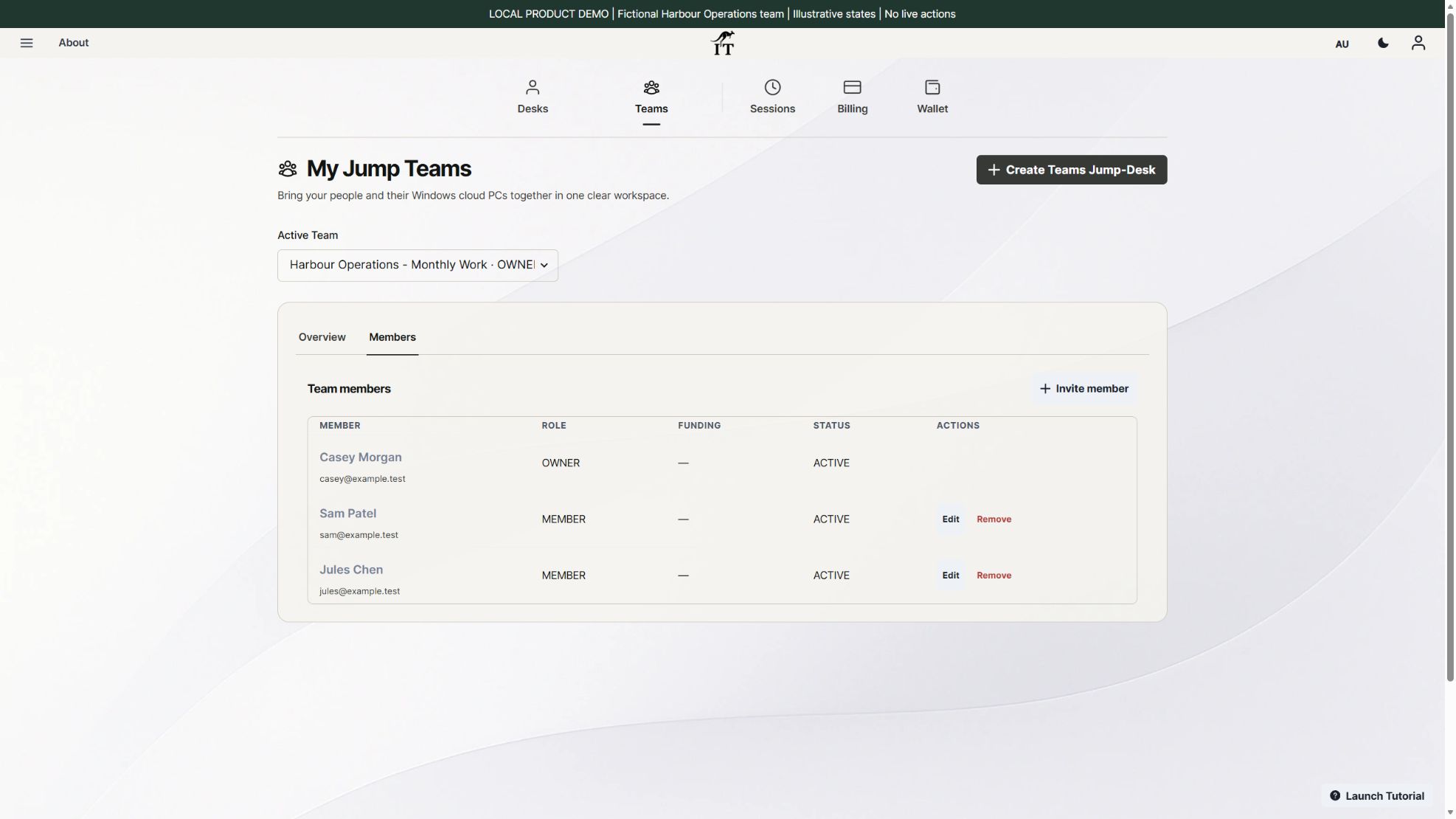
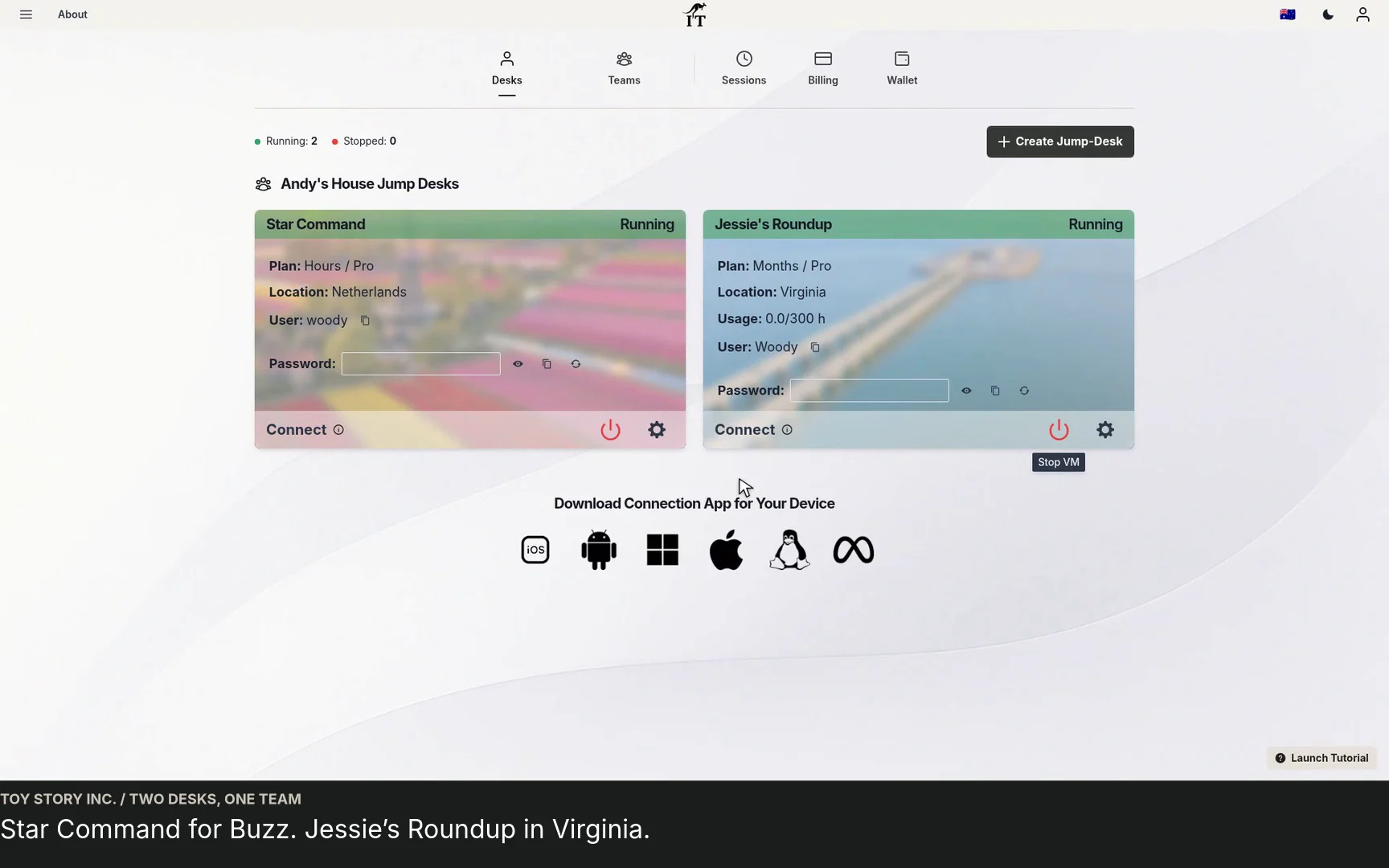
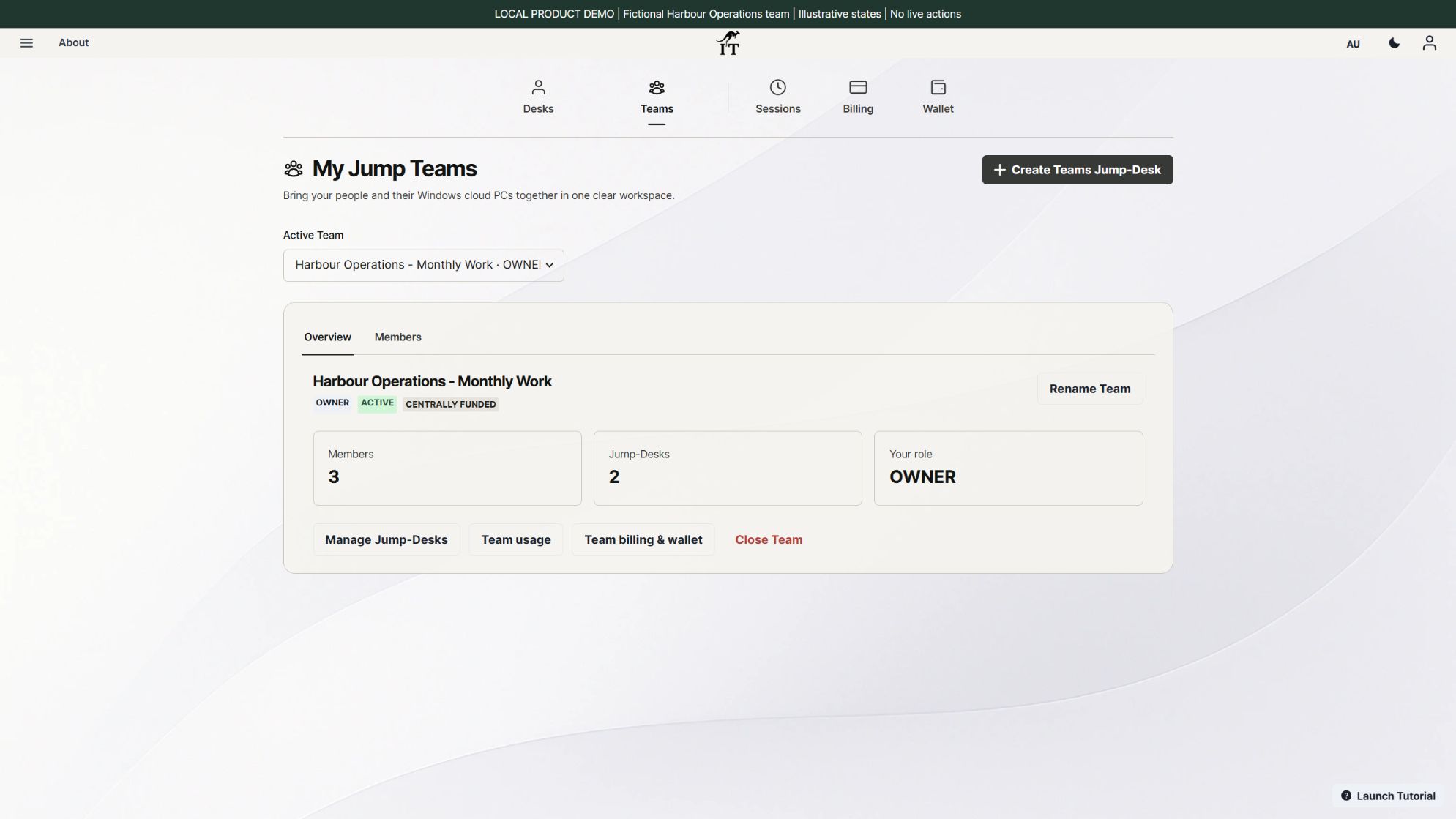
Jump-Teams can organise the people and their separate Jump-Desks. Keep the local AI model and experiments on the Surface when that is the right place for them. Put suitable Windows build, reporting and review work on individually assigned cloud desktops. Install and configure the selected editor, Git, runtime, reporting software and licences deliberately; none is claimed as preinstalled by this guide.
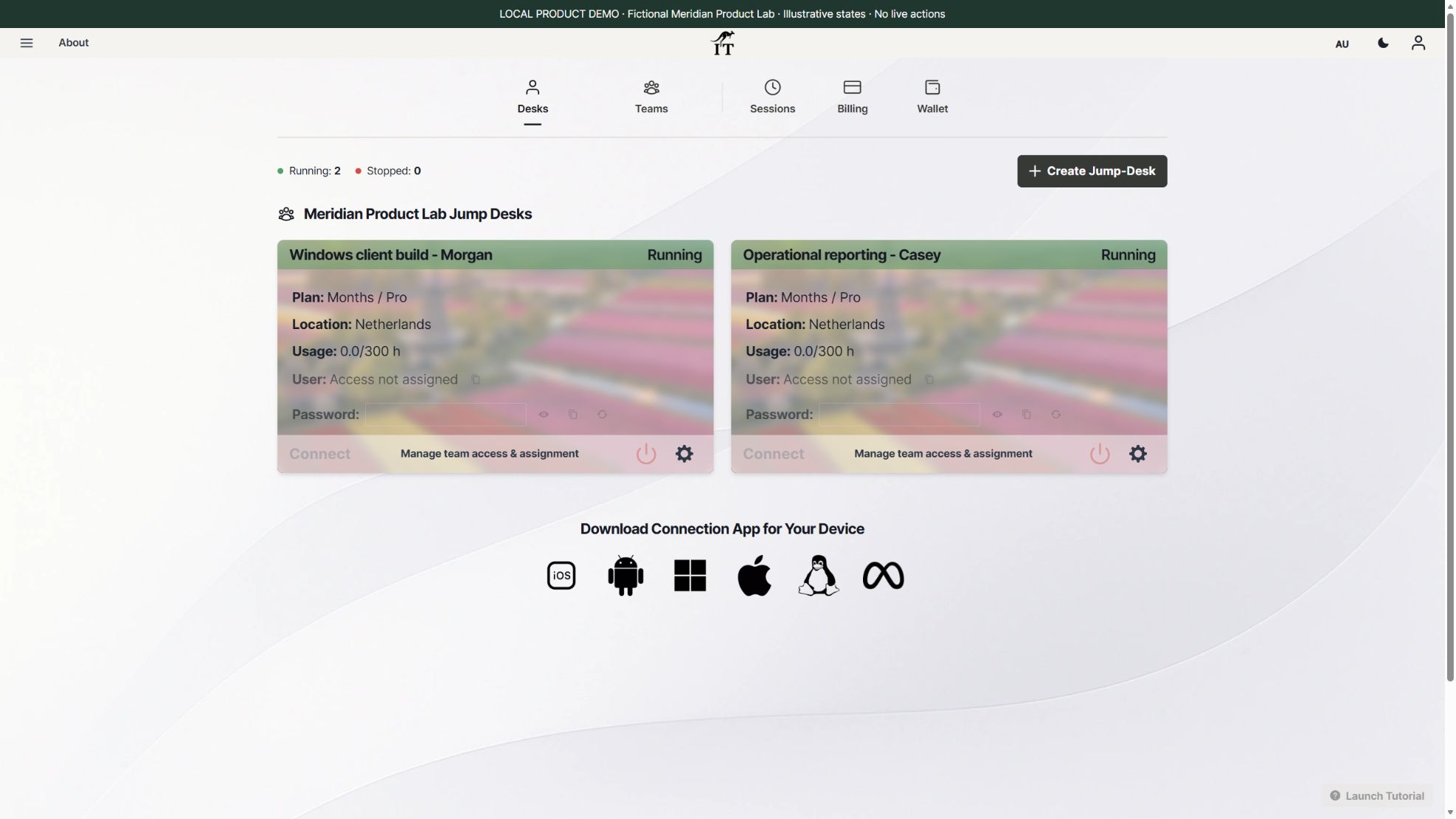
The benefit to test is practical independence: the reviewer can open the agreed Windows environment without waiting for the lead to finish a local experiment. That does not mean work is automatically replicated across regions, or that a cloud desktop has access to the Surface’s NVIDIA GPU. Current Jump-Desk tiers are not presented here as GPU training or rendering machines.
For the wider process, see Windows development workspaces, distributed-team desktops and the one-app acceptance worksheet. If your application needs a particular GPU or direct hardware attachment, establish support before choosing the cloud route.
A remote Windows desktop runs its application processes and stores its working environment on cloud hardware. The local Surface still runs the client, decodes the display, handles input and uses the network. This can avoid the larger local resource demand of hosting each Windows environment on the laptop, but no measured RAM saving or battery improvement is claimed here.
| Work | Proposed location | Check before relying on it |
|---|---|---|
| Local model exploration and GPU-dependent development | Surface Laptop Ultra | Exact CUDA/Arm64 package support, model licence, precision, memory use, sustained load and thermals. |
| A colleague’s Windows client build | Their own Jump-Desk, if the project fits the tier | SDK/runtime versions, repository access, storage, build duration and application licensing. |
| Business reporting and acceptance review | A separate suitable Windows desktop | Data connectors, report totals, save/reopen, export and remote-client usability. |
| Shared artefacts and continuity | Approved repository/storage and separate backup | Access rules, versioning, recovery and handover; do not assume automatic desktop-to-desktop synchronisation. |
Run a representative local model while using the remote client and record whether both stay responsive. If the model saturates memory or the network is poor, the combined experience may still be unsuitable. A cloud desktop is a workload-placement option, not a universal cure for resource contention.
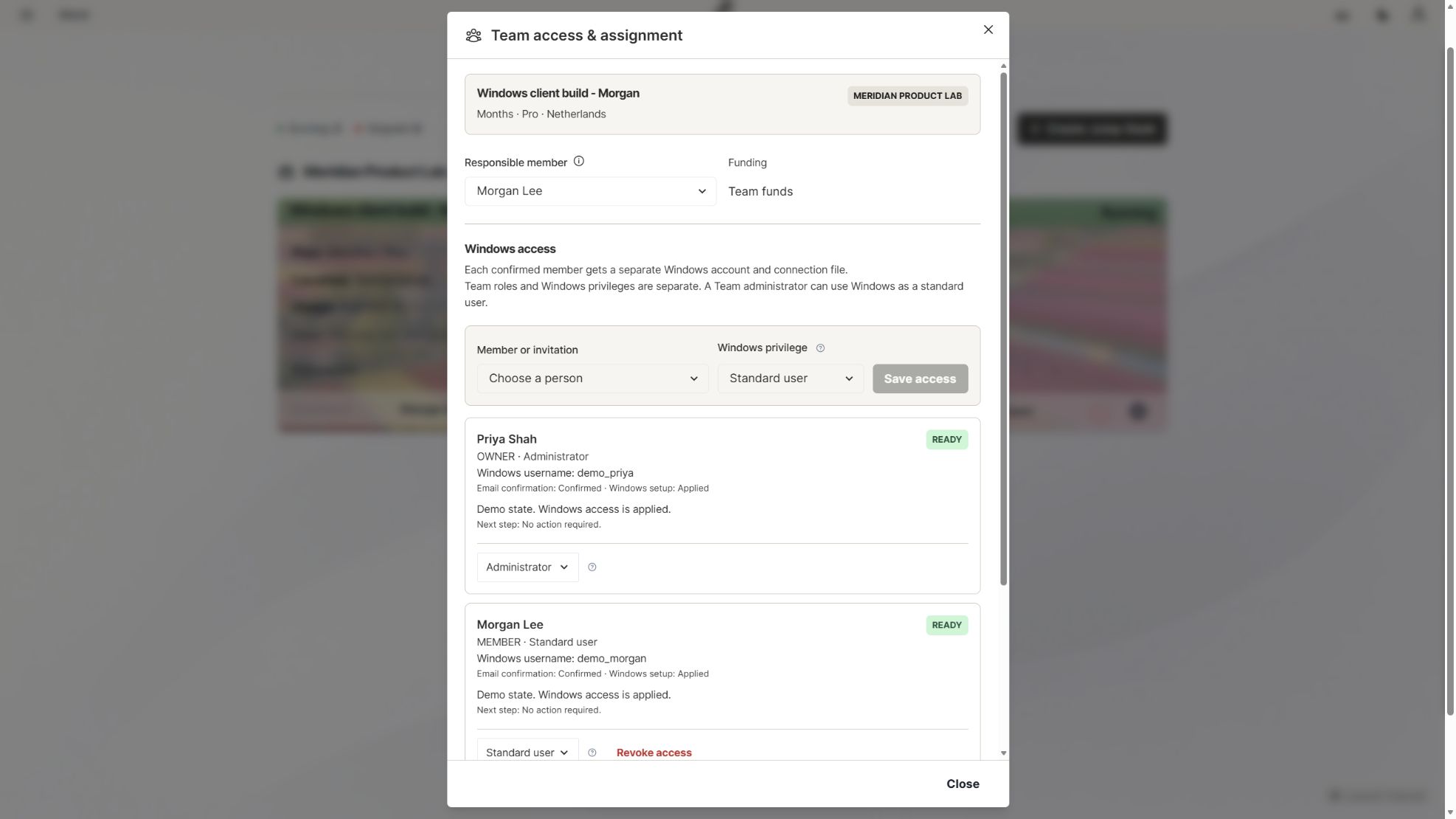
The Jump-Teams guide covers team organisation. Use the remote onboarding guide and contractor handover guide to turn the arrangement into a repeatable process.
| Test | Evidence to keep | What a failure tells you |
|---|---|---|
| Local AI runtime and dependencies | Exact versions, supported architecture, model/precision and a completed representative run. | A package or driver problem may require a different local configuration; cloud Windows does not automatically fix CUDA support. |
| Remote application task | Build/report version, sample data, result, export and save/reopen check. | A desktop existing or showing Running does not prove the business workflow works. |
| Real client and regional connection | Worker location, selected cloud region, network, screen scaling, keyboard and reconnect result. | Distance, bandwidth, packet loss or client settings can affect usability. Test each working location. |
| Peripheral and file handling | The actual printer, camera, USB device or file-transfer path needed by the role. | Remote redirection varies by client and policy; do not promise universal hardware support. |
| Access, backup and handover | Named owner, approved permissions, independent backup and a successful recovery/continuity rehearsal. | Team organisation alone is not a full governance, compliance or backup programme. |
Microsoft documents supported remote-PC clients and feature differences across platforms. Browser access for Microsoft-hosted desktop services is not a blanket promise of browser-only access to any remote PC. Global organisations should also review data location, applicable contracts and their internal requirements before rollout. No enterprise compliance or automatic failover guarantee is made here.
Do not use the Surface’s hardware price as evidence that cloud desktops will save money. First estimate the work that needs local GPU capability, then separately cost the Windows roles that need persistent project environments.
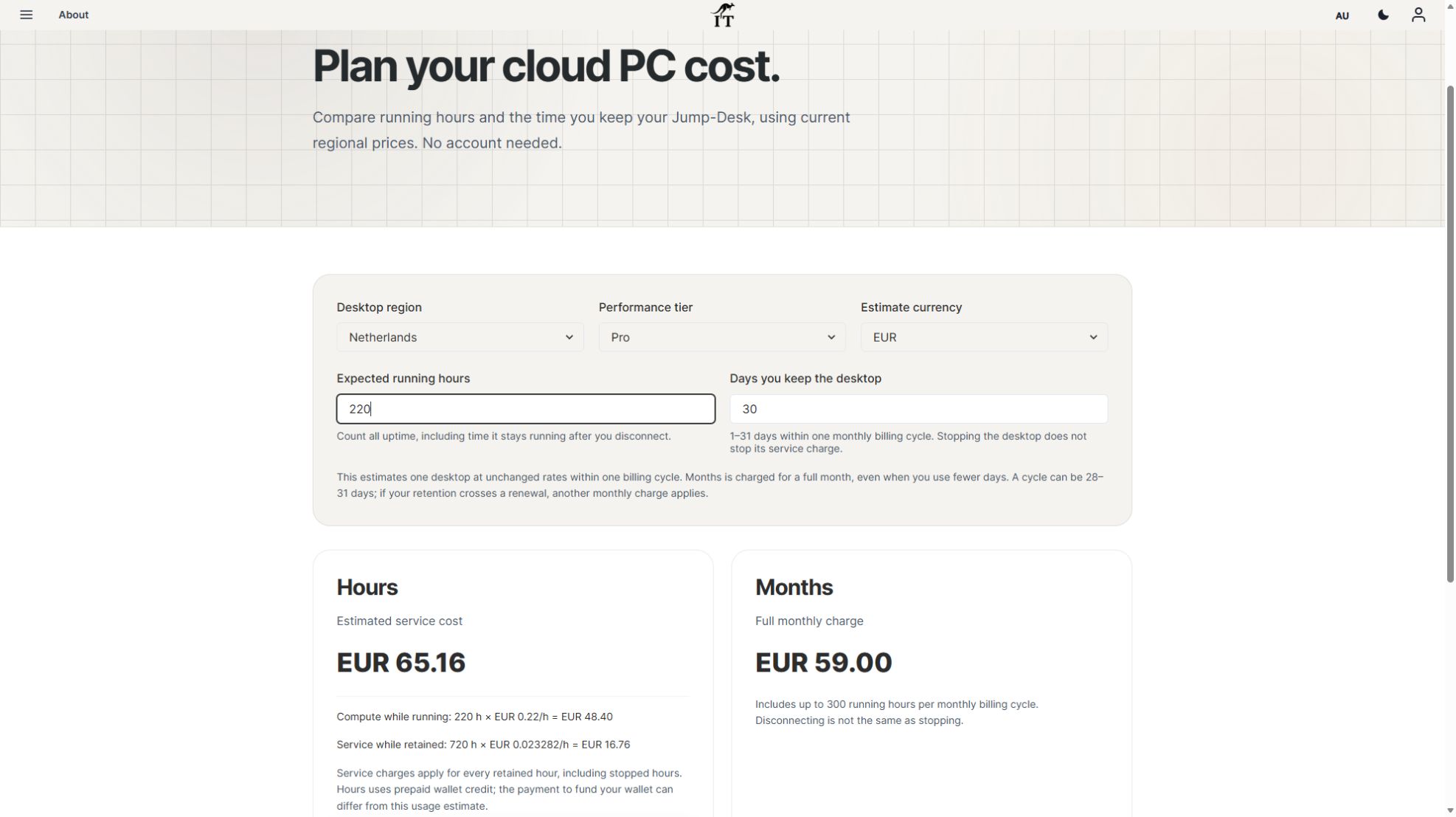
At the checked 31 October Netherlands Pro rates, a Months desktop is EUR 59 per full monthly cycle with up to 300 uptime hours. Three equivalent desktops would be EUR 177 before applicable tax, discounts, optional extras and software licences. Each machine has its own allowance; this is not a pooled 900-hour entitlement or 24/7 service.
For comparison, one Hours desktop running for 160 hours and retained for 30 days estimates EUR 51.96: EUR 35.20 compute plus EUR 16.76 service. Service continues during stopped but retained time. Months is not automatically cheaper at lighter use, and crossing a renewal can add another monthly charge. Wallet funding and estimated consumption are different figures.
Check the current calculator, regional capacity and the team budget worksheet before payment. Hardware, local AI tools and application licences remain separate purchases. This article has not provisioned a paid desktop or established customer savings.
No. The Surface’s local GPU and a separate cloud desktop are different computers. Do not choose a standard Jump-Desk on the assumption that it provides NVIDIA GPU training or rendering.
No blanket claim is justified. Ultra uses Windows on Arm. Check the exact application, dependencies and drivers, then test your real workflow.
Their cloud desktops are not hosted on the lead’s laptop. Each colleague still needs a supported client, a suitable connection and an available desktop within its plan and power-state limits.
No. Choose Ultra for a local workload that benefits from it. Team administration and supported remote access can be done from other suitable devices.
No. Jump-Teams organises people and Jump-Desk Windows cloud computers. It is separate from Microsoft Teams collaboration software, which has its own account, licence and application requirements.
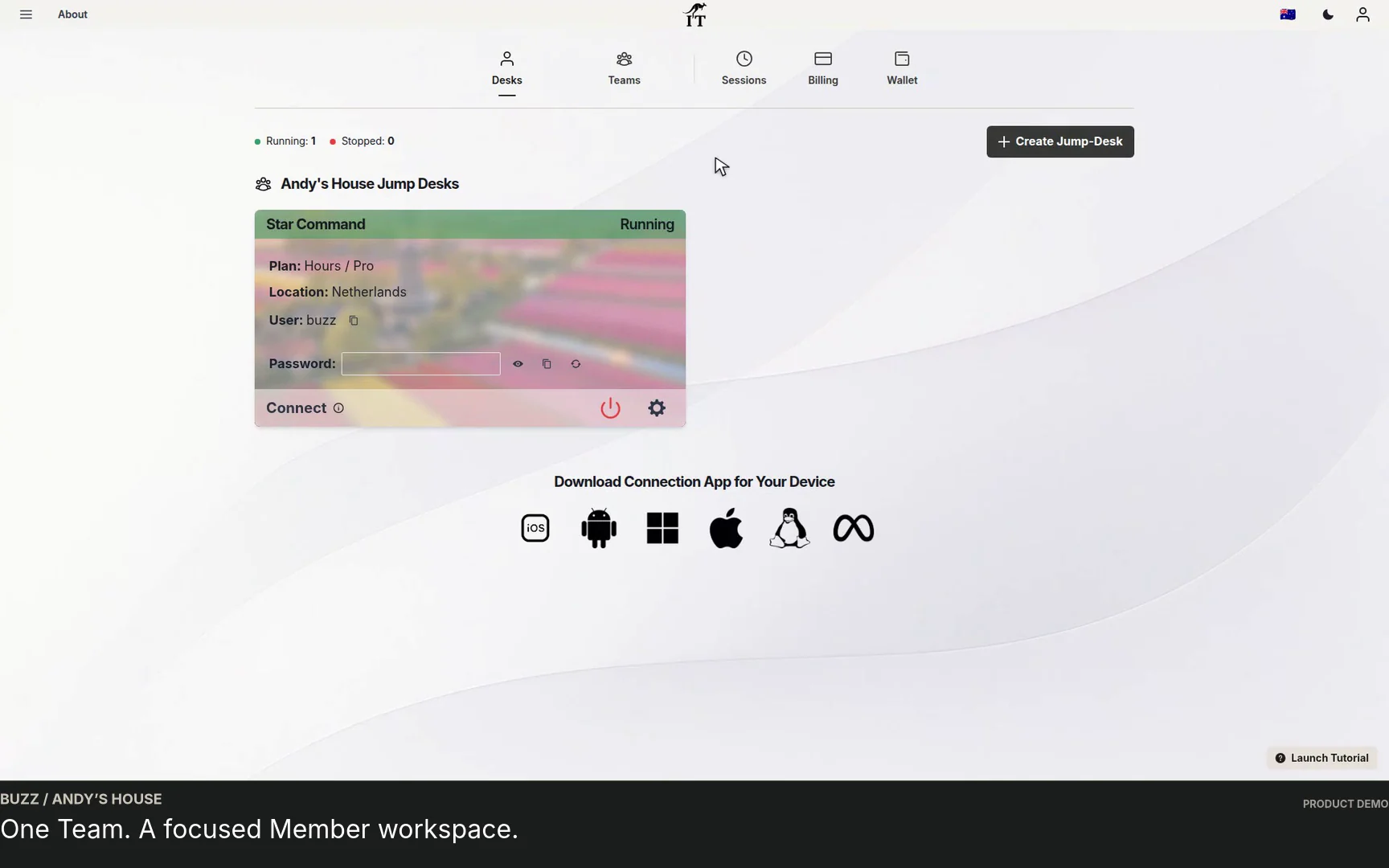
No. The hardware discussion is sourced from manufacturers and named reviewers. The fresh screenshots show the actual Jump-IT UI with fictional data, not a physical-device test, executed model or completed customer project.
Keep the local workstation for the work that needs it. Start the cloud plan with one named role, a suitable region, a complete cost estimate and a result someone can verify. Expand when the working evidence supports it.
Hardware facts come from the manufacturer pages below; review opinions are attributed to their original reviewers. Checked 31 October 2026. Jump-IT has not physically tested these laptops, reproduced their benchmarks or run the illustrated Windows applications. Product screenshots are fresh captures of the actual Jump-IT interface in a local demonstration using fictional data. They are not customer results.
Jump-IT publishes this guide to explain its Windows cloud computer service. It is not endorsed by Apple, Microsoft, NVIDIA or the reviewers. No hardware affiliate purchase links are used.
TEAMS GUIDES
BUSINESS GUIDE
Evaluate DaaS for a small team: Windows applications, Jump-Teams access, monthly desktop budgets, practical checks and when another setup fits better.
Read the guide →BUSINESS GUIDE
Budget three or five monthly Windows cloud PCs. Compare Months with running and retained Hours costs, software licences, access and renewal checks.
Read the guide →BUSINESS GUIDE
Plan a contractor’s Windows workspace from setup to handover: Team roles, Windows privileges, project files, application access and monthly cost review.
Read the guide →PRODUCT VIDEO
Watch the Jump-Teams demo: create a Team, invite a colleague, connect to Windows and add a second regional cloud PC with separate access permissions.
Watch the walkthrough →PRODUCT VIDEO
Watch a first-member onboarding demo: create a Jump-Team, choose permissions, send an invitation and hand over a Windows cloud PC with individual access.
Watch the walkthrough →PRODUCT VIDEO
Watch a Team member accept an invitation, find their Jump-Desk, review connection settings and open Windows with their own account and connection file.
Watch the walkthrough →PRODUCT VIDEO
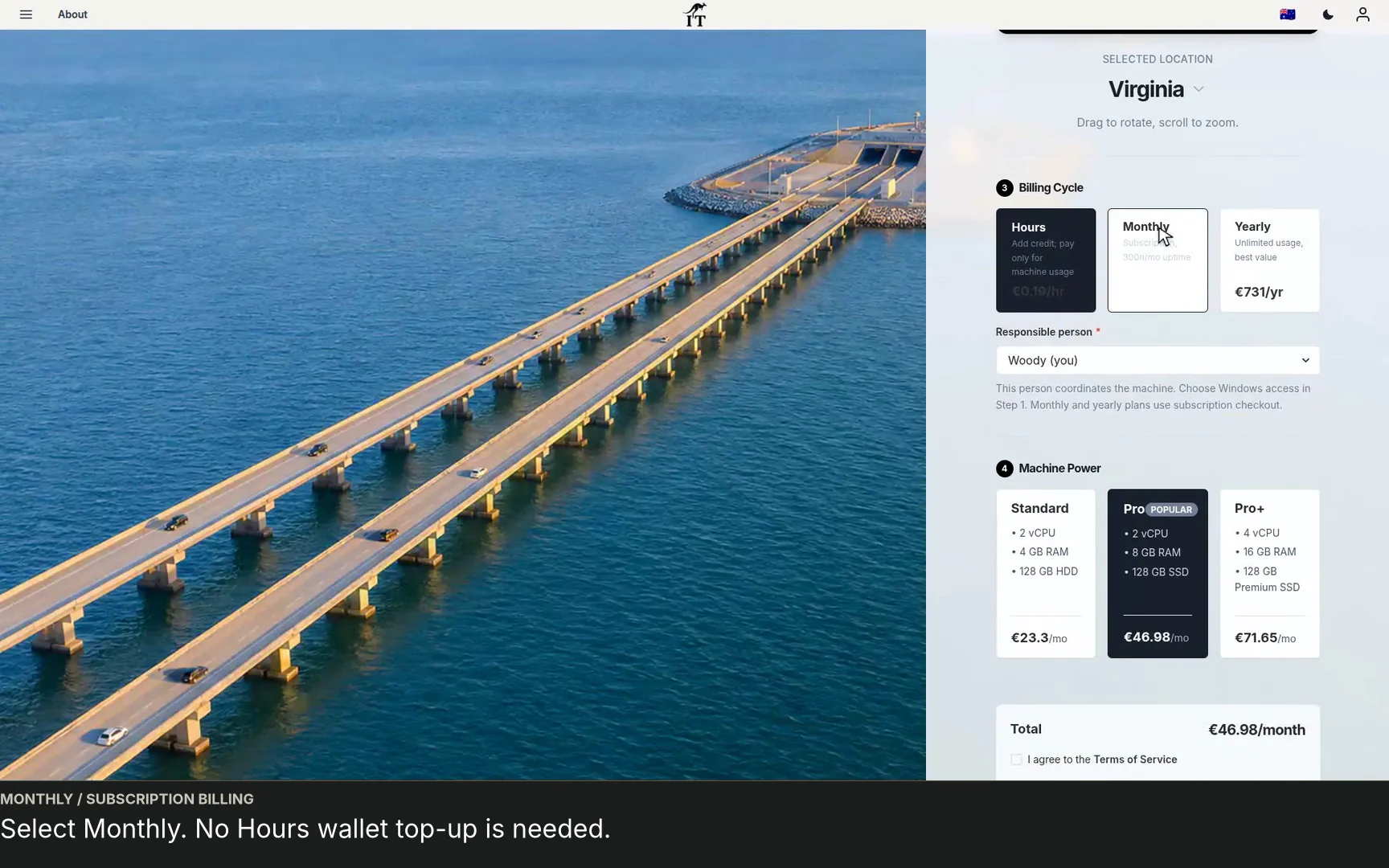
See a regional Windows cloud PC added to Jump-Teams: choose Virginia, a monthly plan and separate Windows privileges for a colleague and deputy.
Watch the walkthrough →STARTUP GUIDE
Built by a startup, for startups. Give your team Windows cloud PCs on supported devices you already own, with invitations, access controls and flexible funding.
Read the guide →